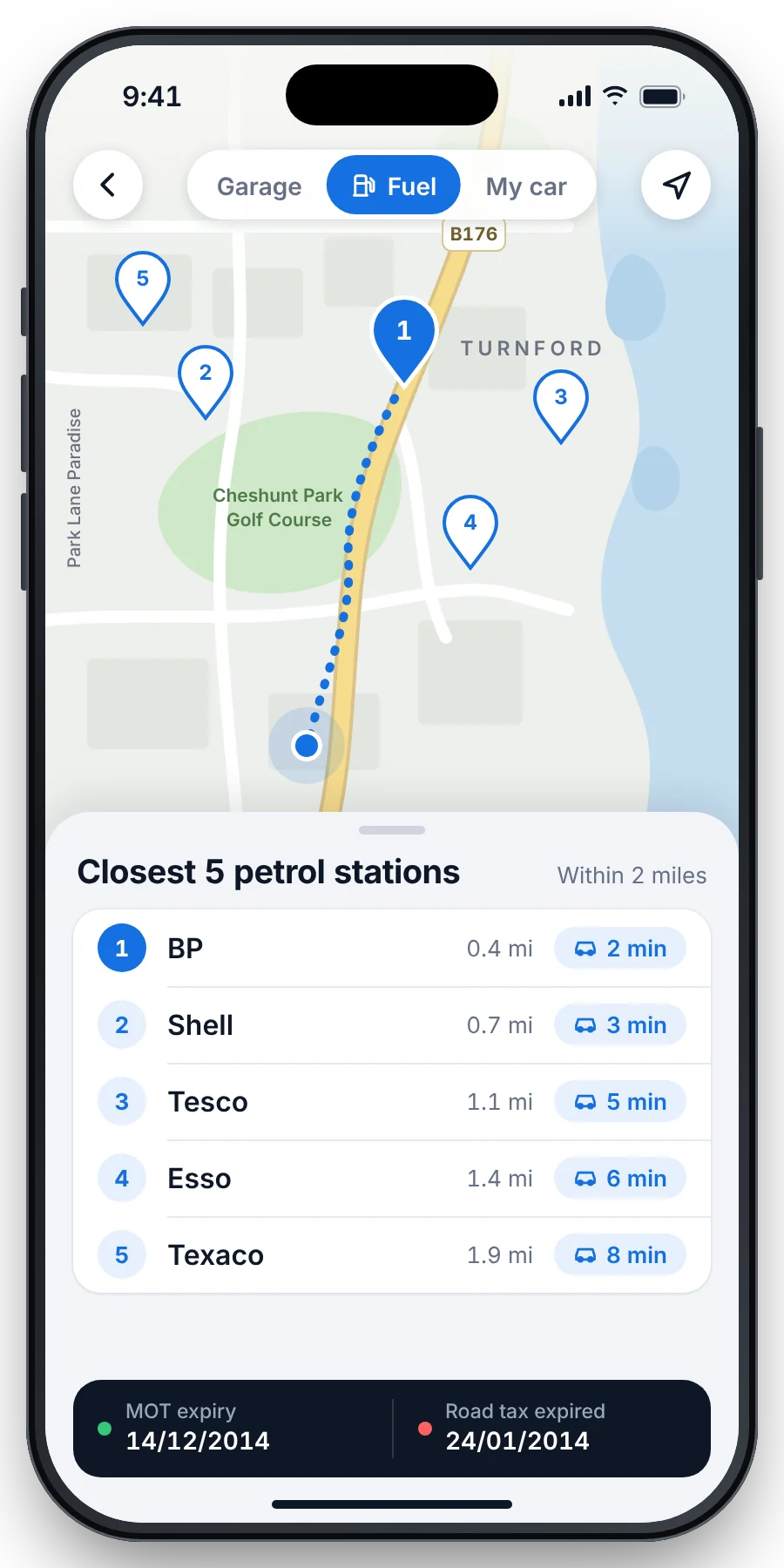
Context
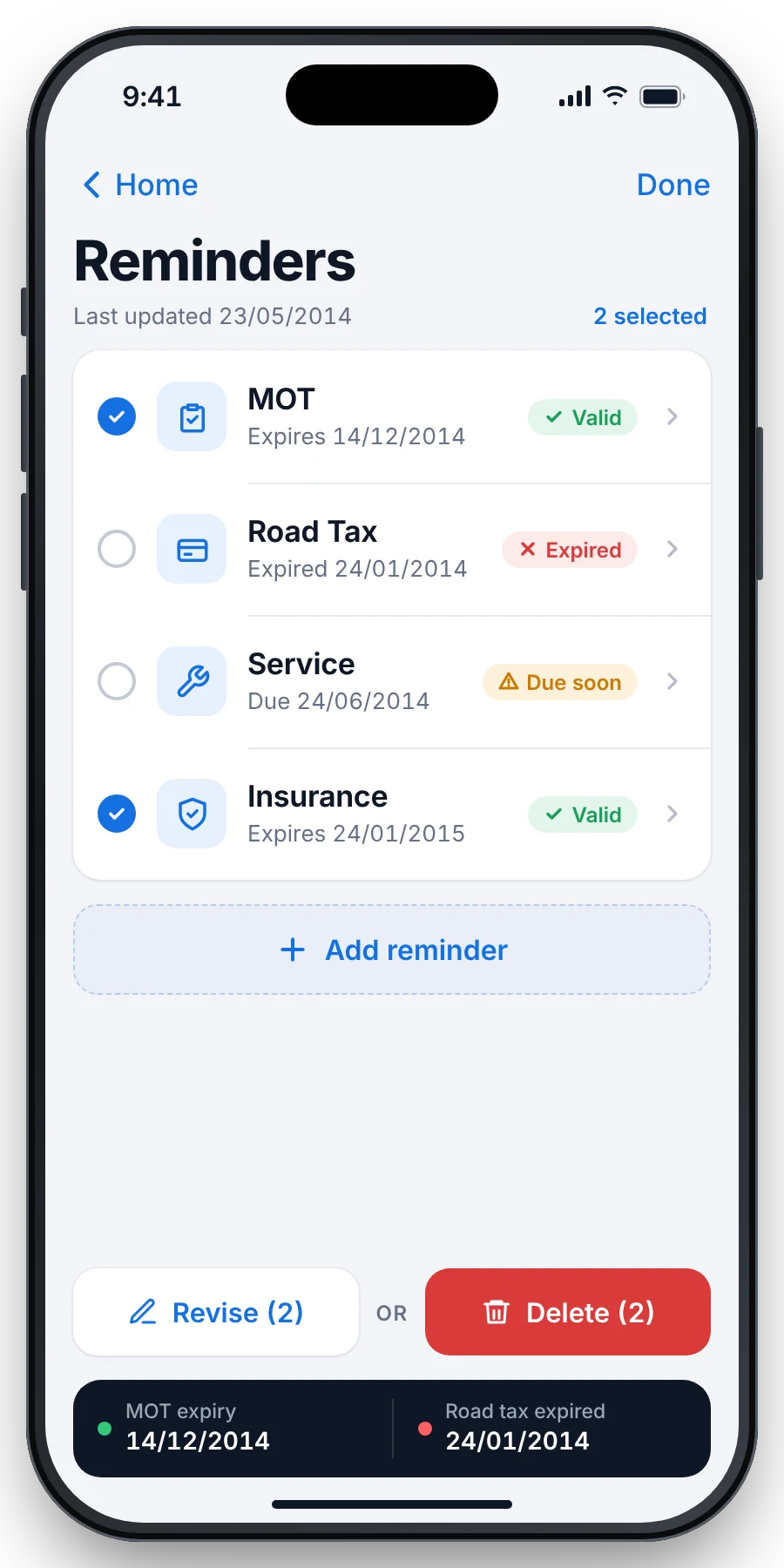
When the UK abolished the paper tax disc in 2015, drivers lost their visible reminder of when tax and MOT were due. The starting point was a simple reminder app.
What it does
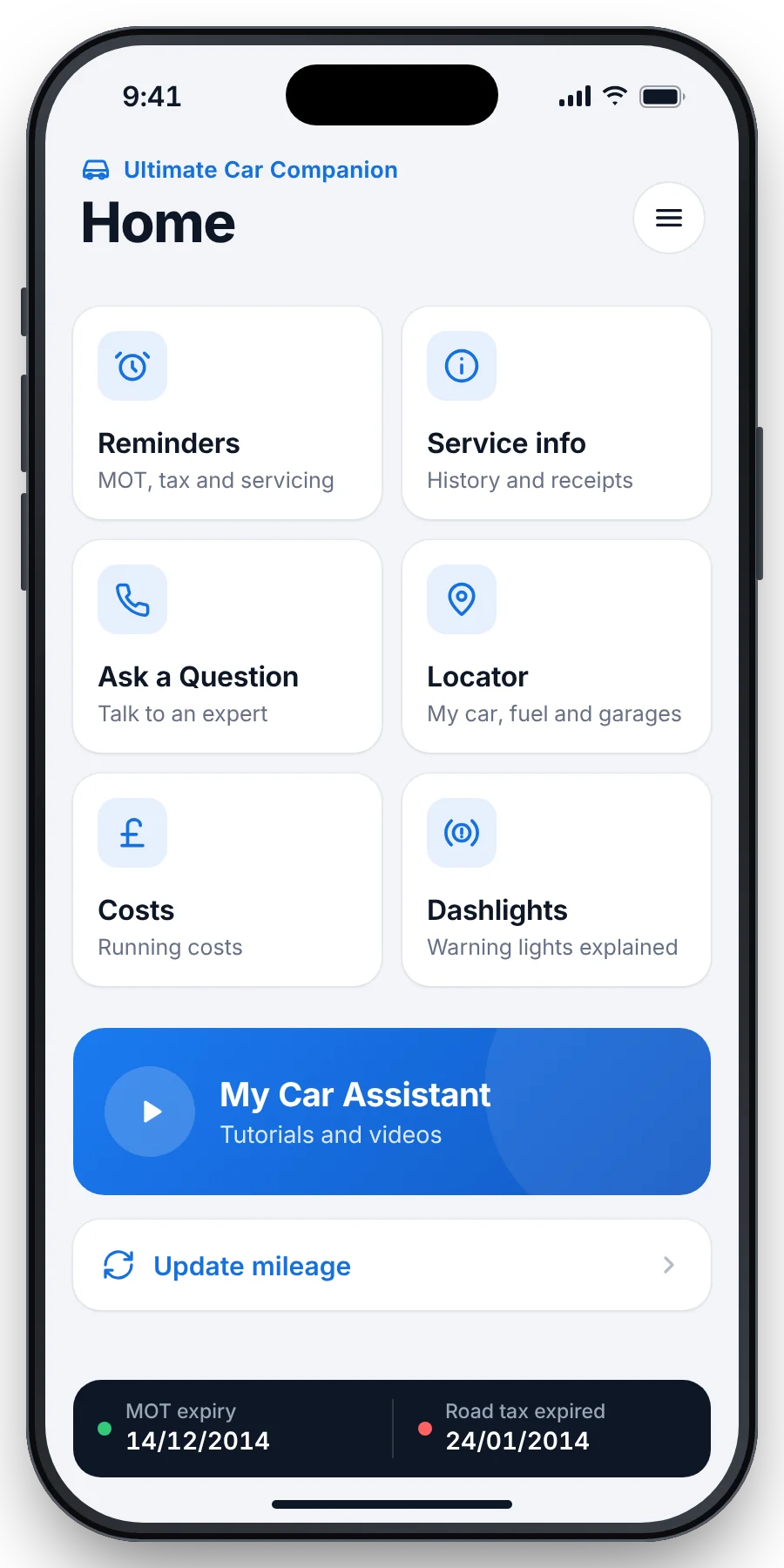
- Reminders for MOT, tax and servicing.
- A complete service and repair history.
- A car locator, using GPS trackers.
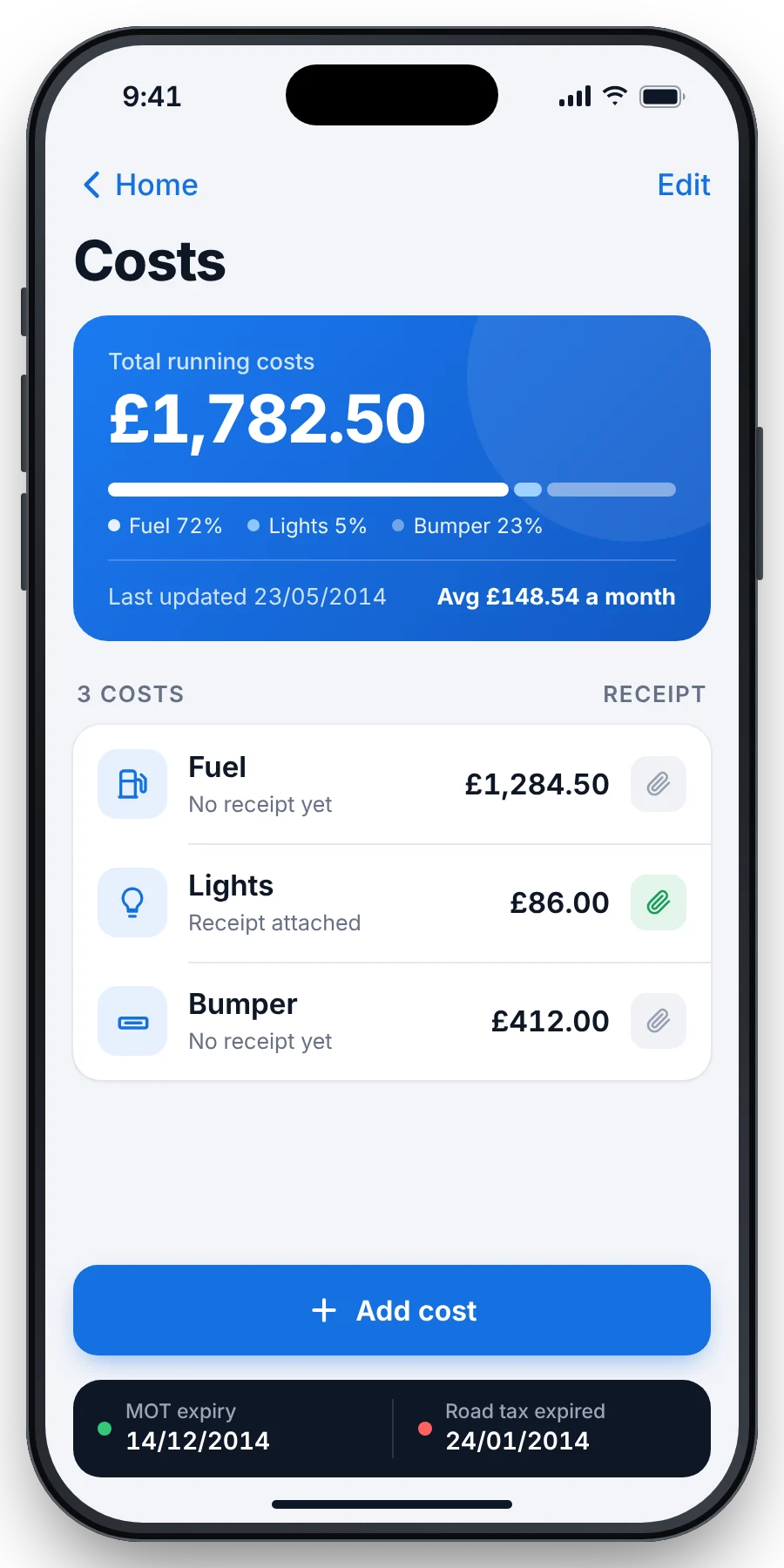
- Running costs, tracked with averages.
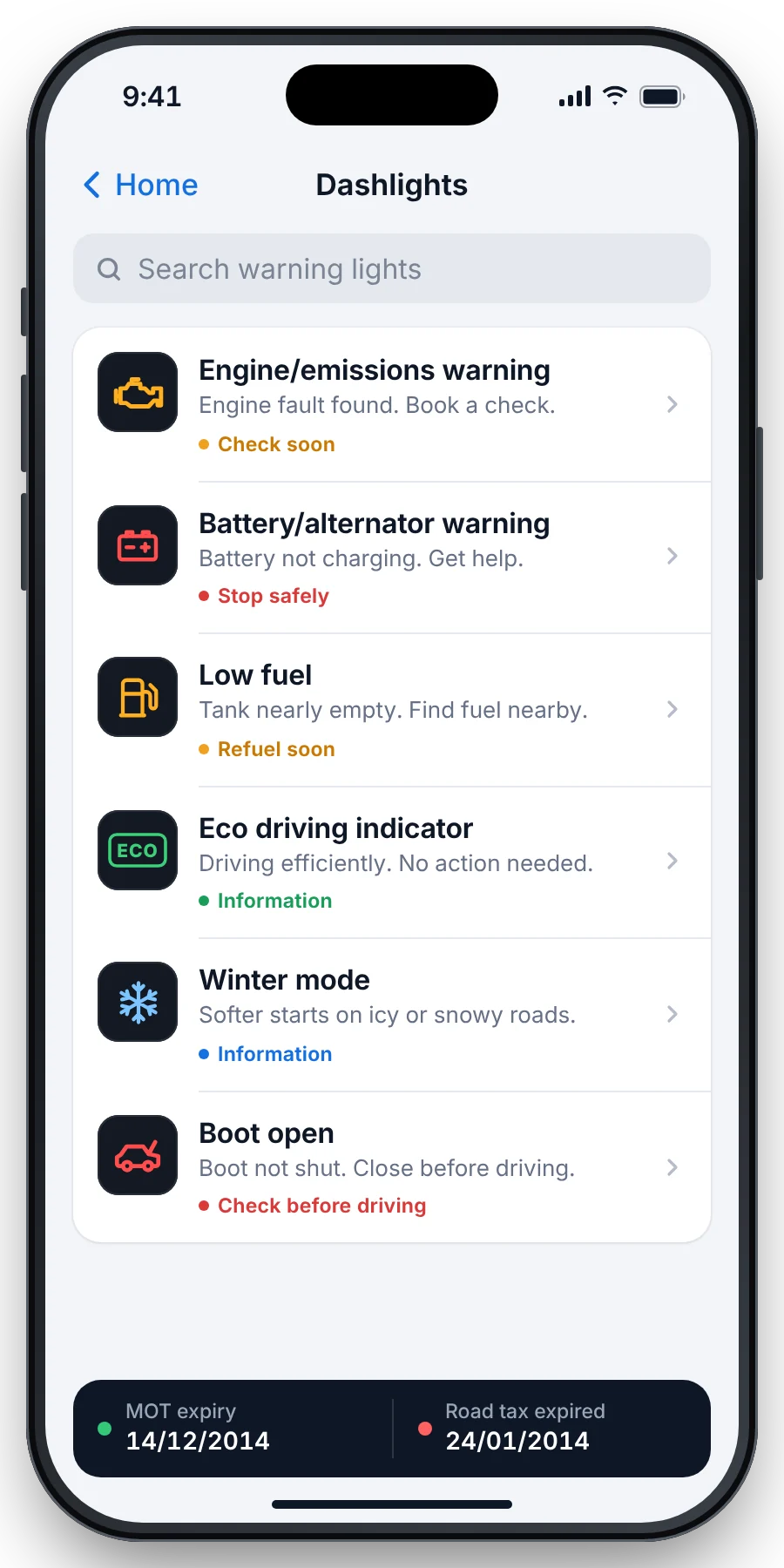
- Plain-English explanations of dashboard warning lights.
- How-to videos for common jobs.
Research
- A competitor analysis of comparable apps, covering features, efficiency, price and ratings.
- A survey of UK drivers: over 90% liked the idea and over 70% said they would pay for it. Their answers also surfaced features we hadn’t considered.
- A primary persona built from recruited users.
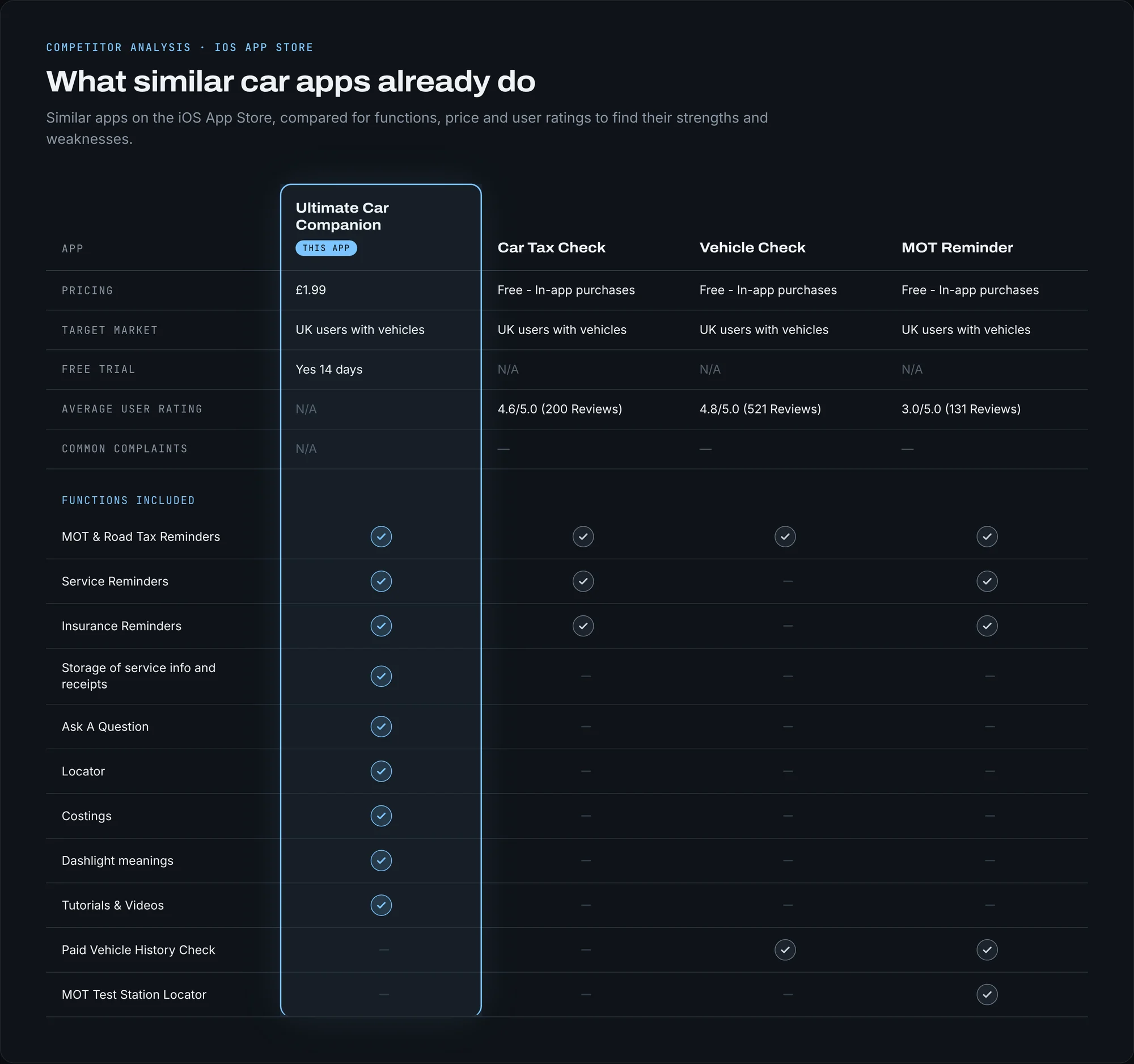
Swipe to see the full diagram →
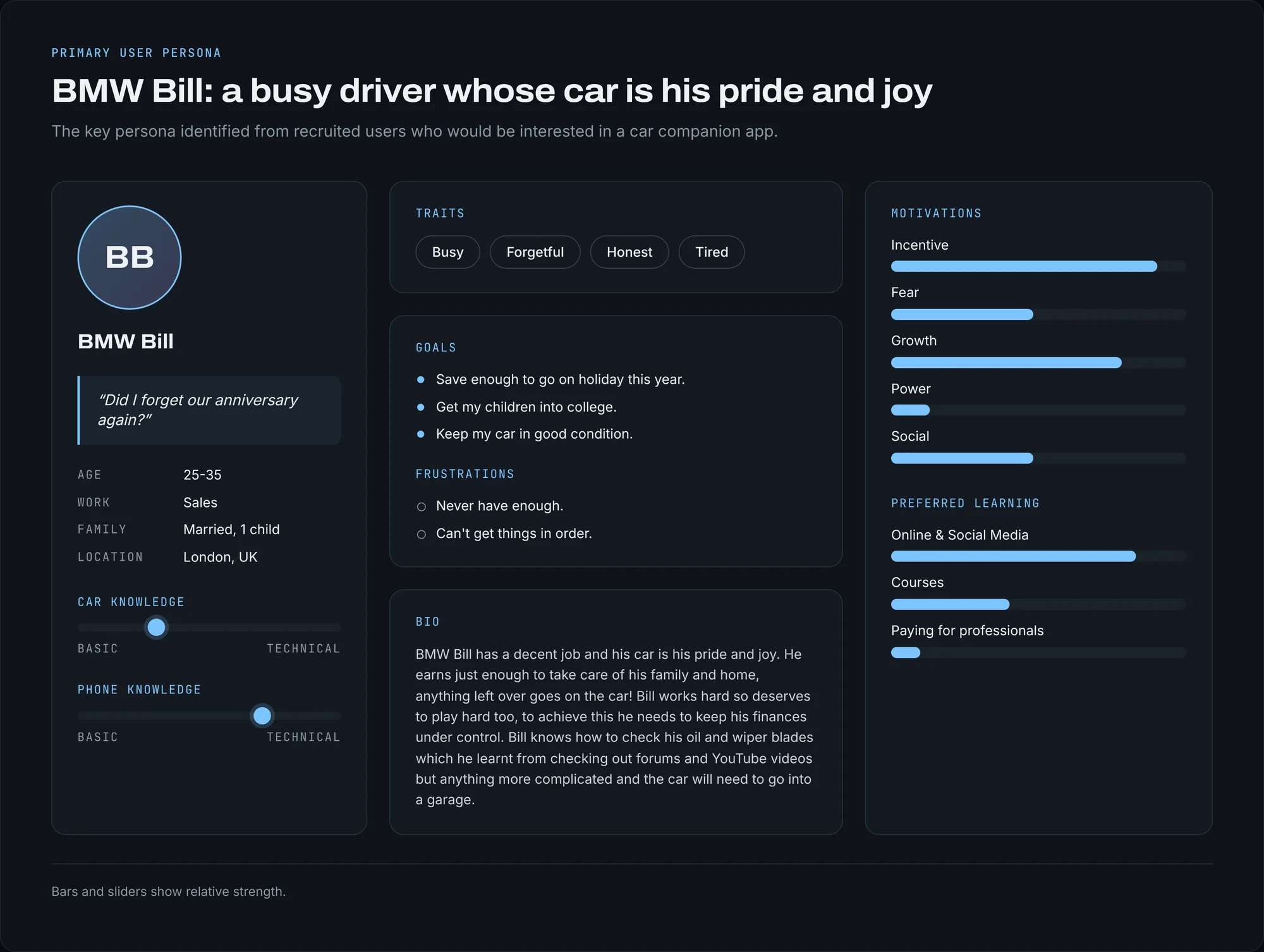
Swipe to see the full diagram →
Prioritising
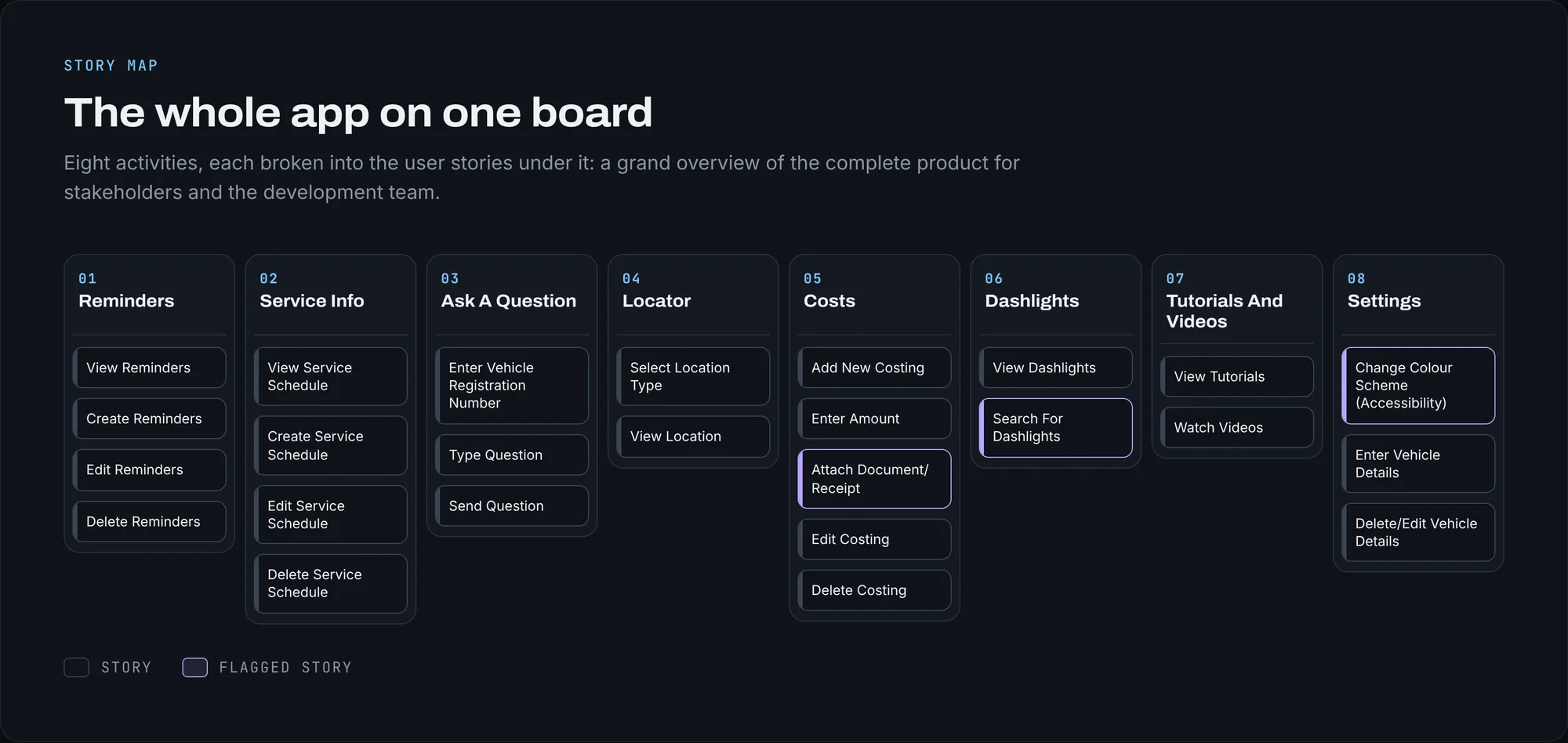
A red route analysis defined which journeys had to be seamless. A story map gave the team a single view of every function and scenario, and exposed the gaps. Whenever developers returned to the project after time away, the map was where we started.
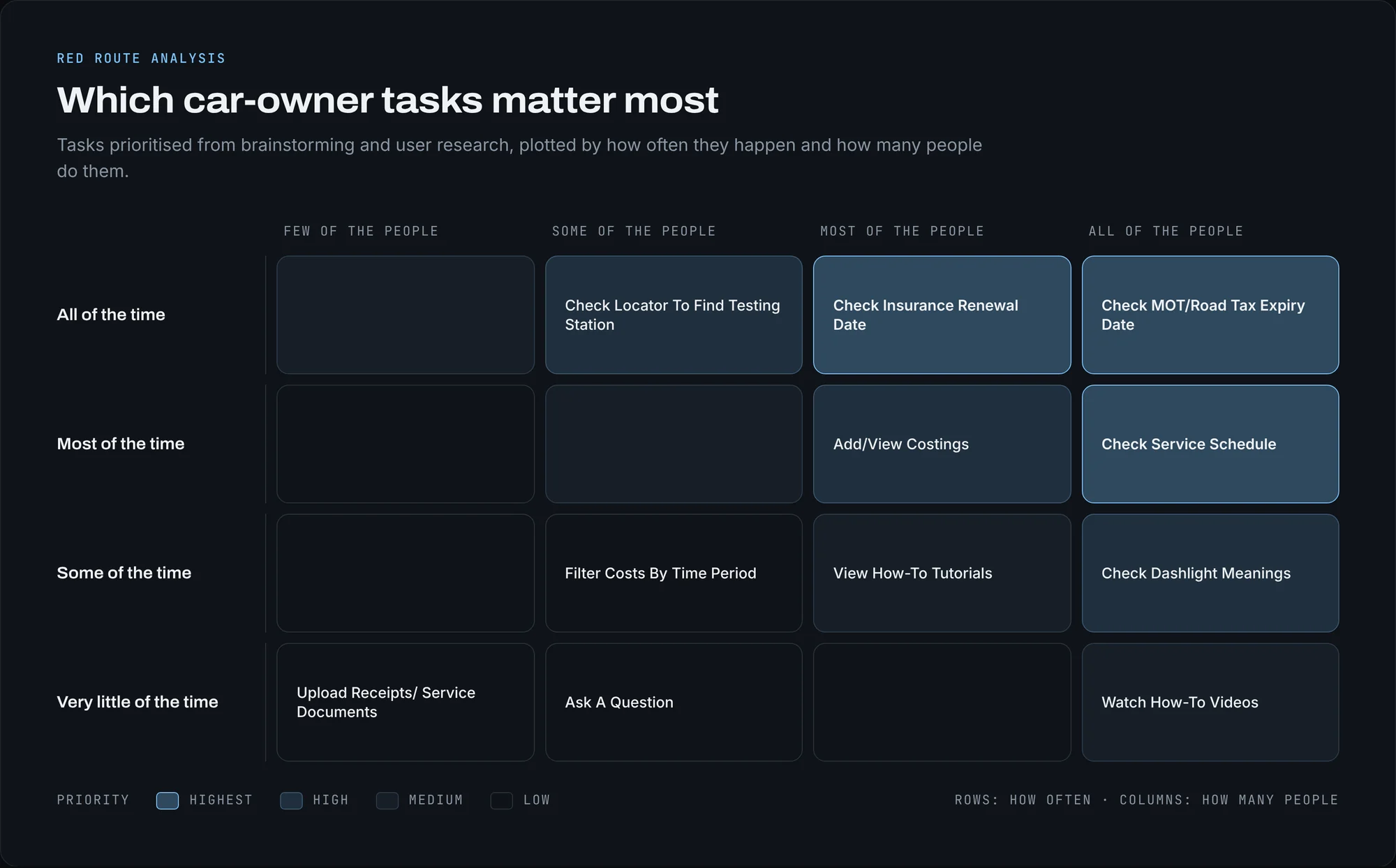
Swipe to see the full diagram →
Swipe to see the full diagram →
Testing
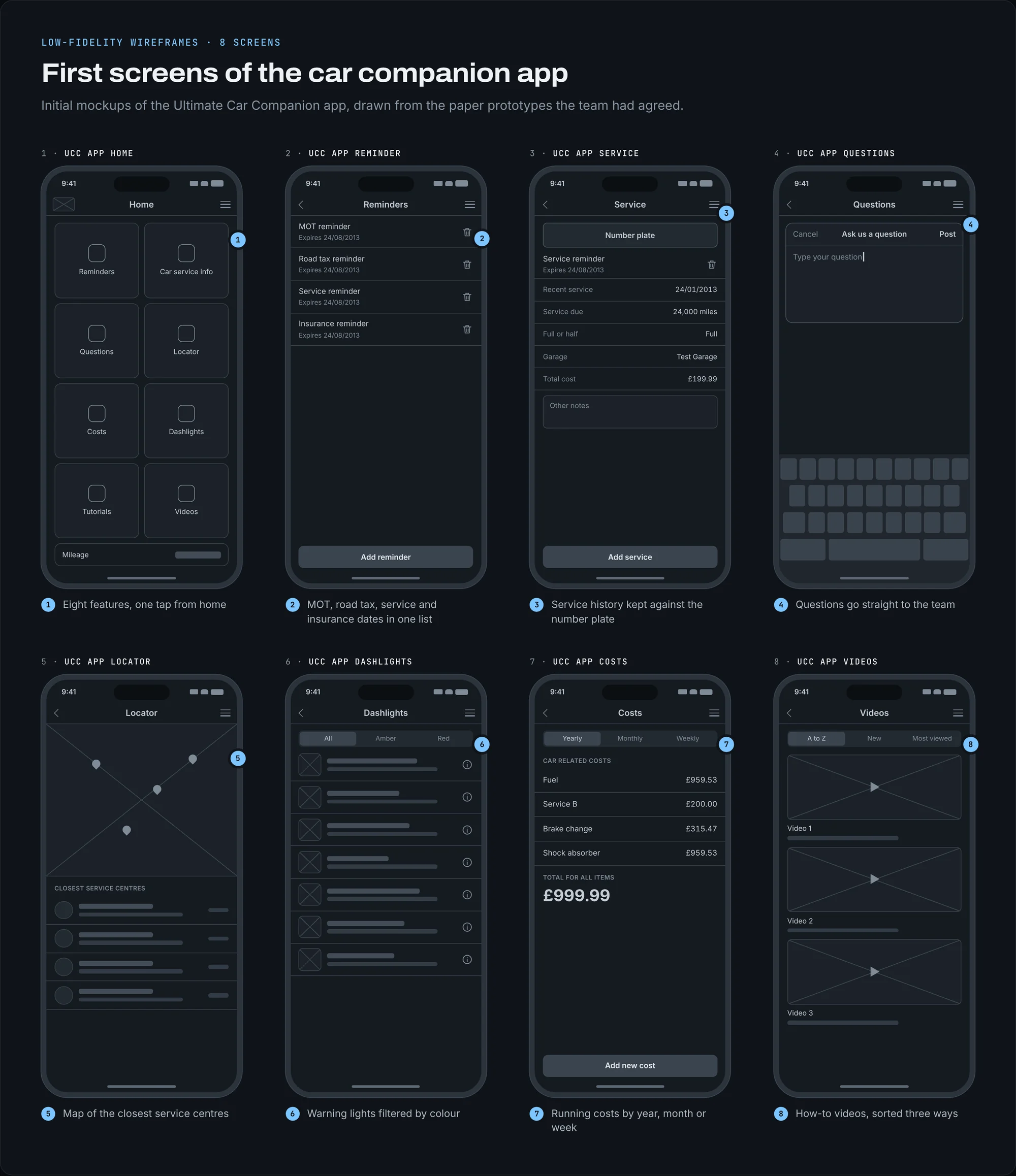
Usability testing on the first mockups surfaced four issues to resolve in the next iteration:
- Moving between functions was difficult once users left the home screen.
- The same data, such as mileage, had to be entered in several places.
- There was nowhere to store receipts.
- There was no way to add a second car.
Swipe to see the full diagram →
Low-fidelity wireframes
Accessibility
Content labelled for screen readers, strong colour contrast, generous touch targets and native iOS dialogs wherever possible.
Running costs
Running costs sit alongside reminders, service history and the car locator, so owners can see what their car really costs them over time.