The product
Paying an overseas supplier usually means bank forms, unclear fees and exchange rates that change while you type. Global Pay brings it into one self-service product from American Express: add a recipient, check the rate, send the payment and track it, with Membership Rewards points earned on foreign exchange payments.
My role
I co-led the 0–1 UX design of Global Pay, from the first concepts through to launch. I shaped the end-to-end customer journeys, simplifying international payments into an intuitive self-service experience.
Confidence before you commit
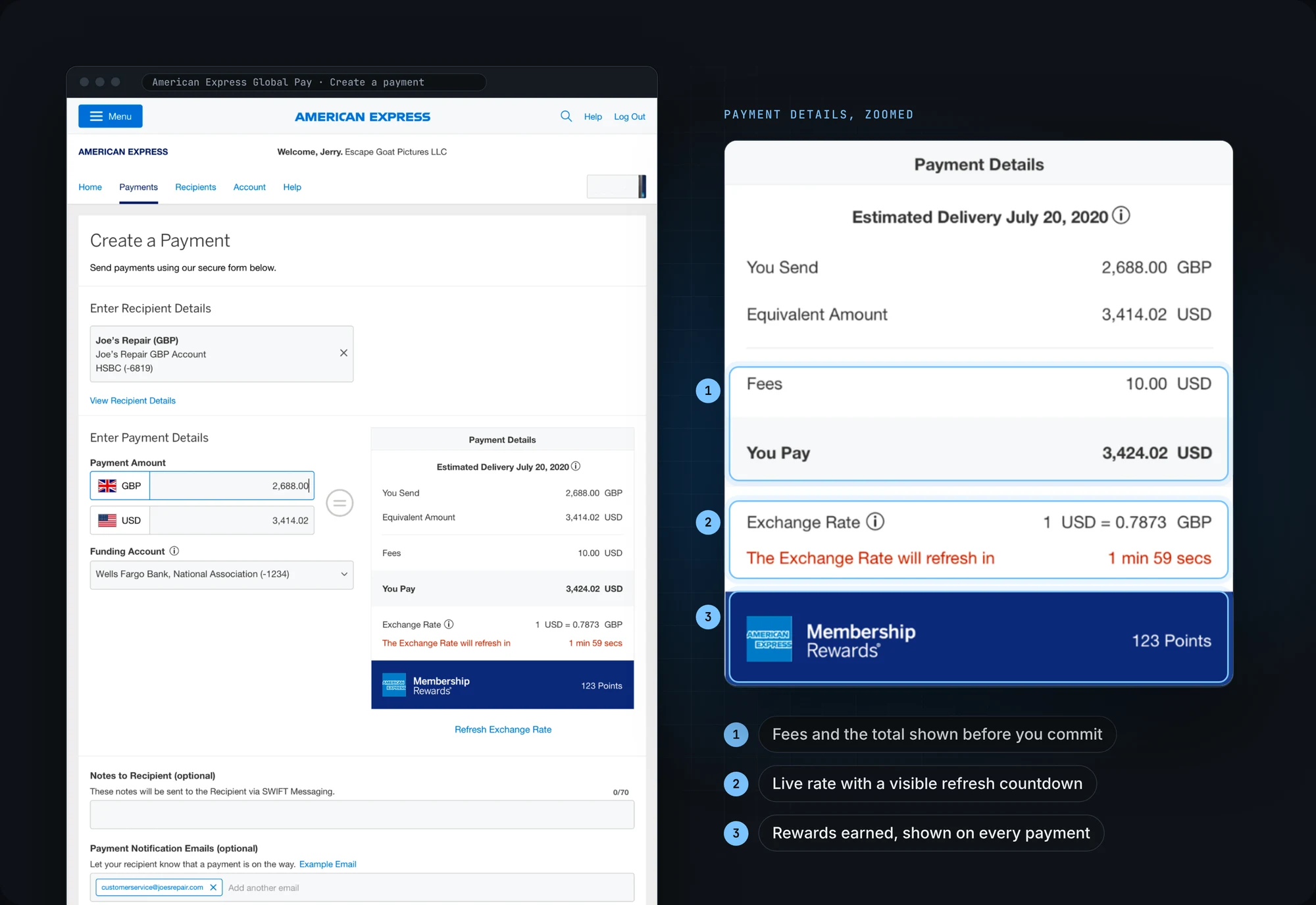
International payments come with questions: what will it cost, what will they receive, and when will it arrive? The payment screen answers all of them in one summary, before anything is sent.
- What you send, its equivalent and what you pay, side by side.
- Fees shown up front, not discovered later.
- The live exchange rate, with a visible countdown before it refreshes.
- An estimated delivery date.
- The Membership Rewards points the payment earns.
Swipe to see the full image →
Self-service, end to end
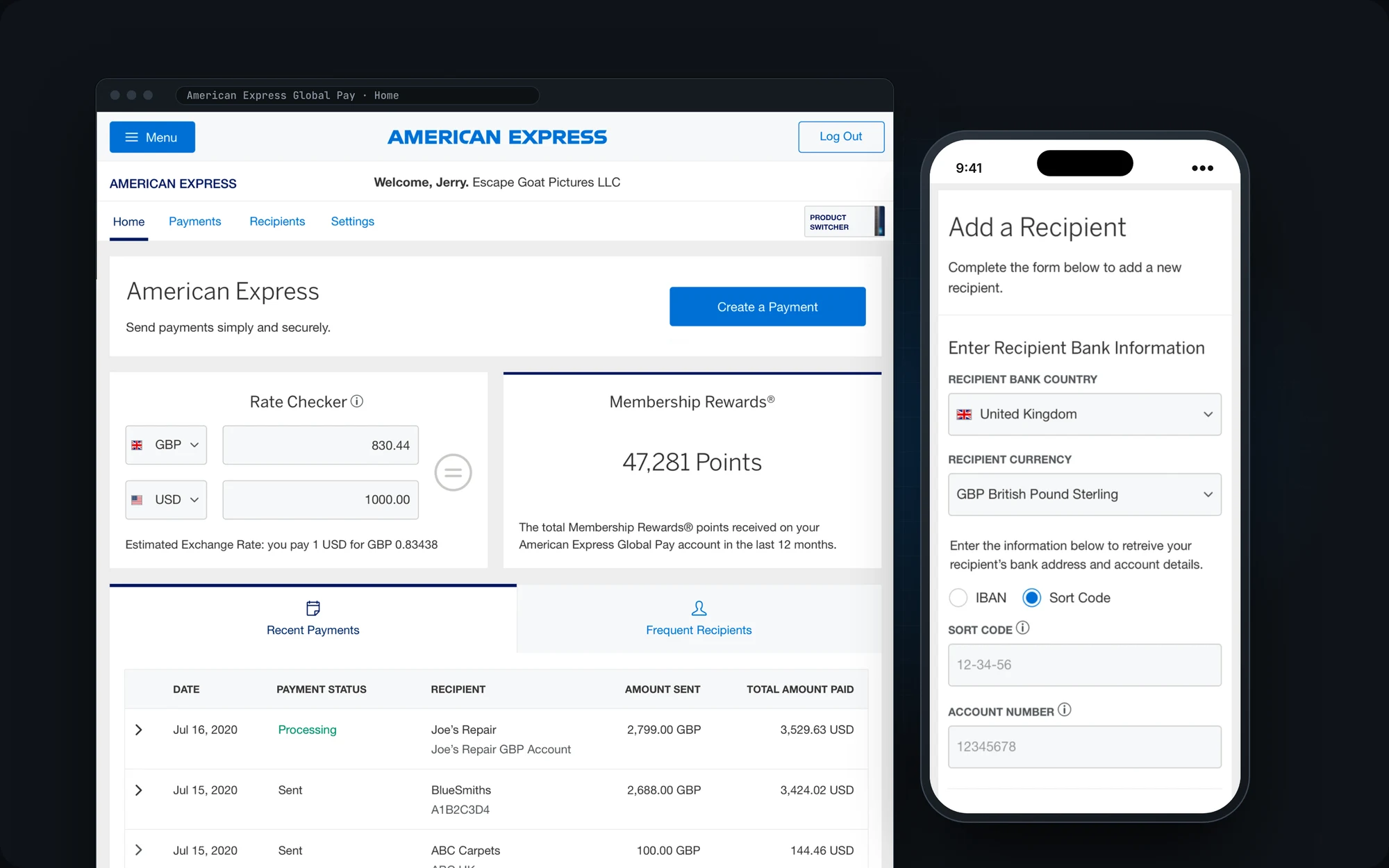
- A home screen with the next action first: create a payment, check a rate, see rewards earned.
- Recent payments with plain statuses: processing, sent, cancelled.
- Adding a recipient adapts to the country, asking for an IBAN or a sort code and account number as needed.
- The same journeys work on a phone as on a desktop.
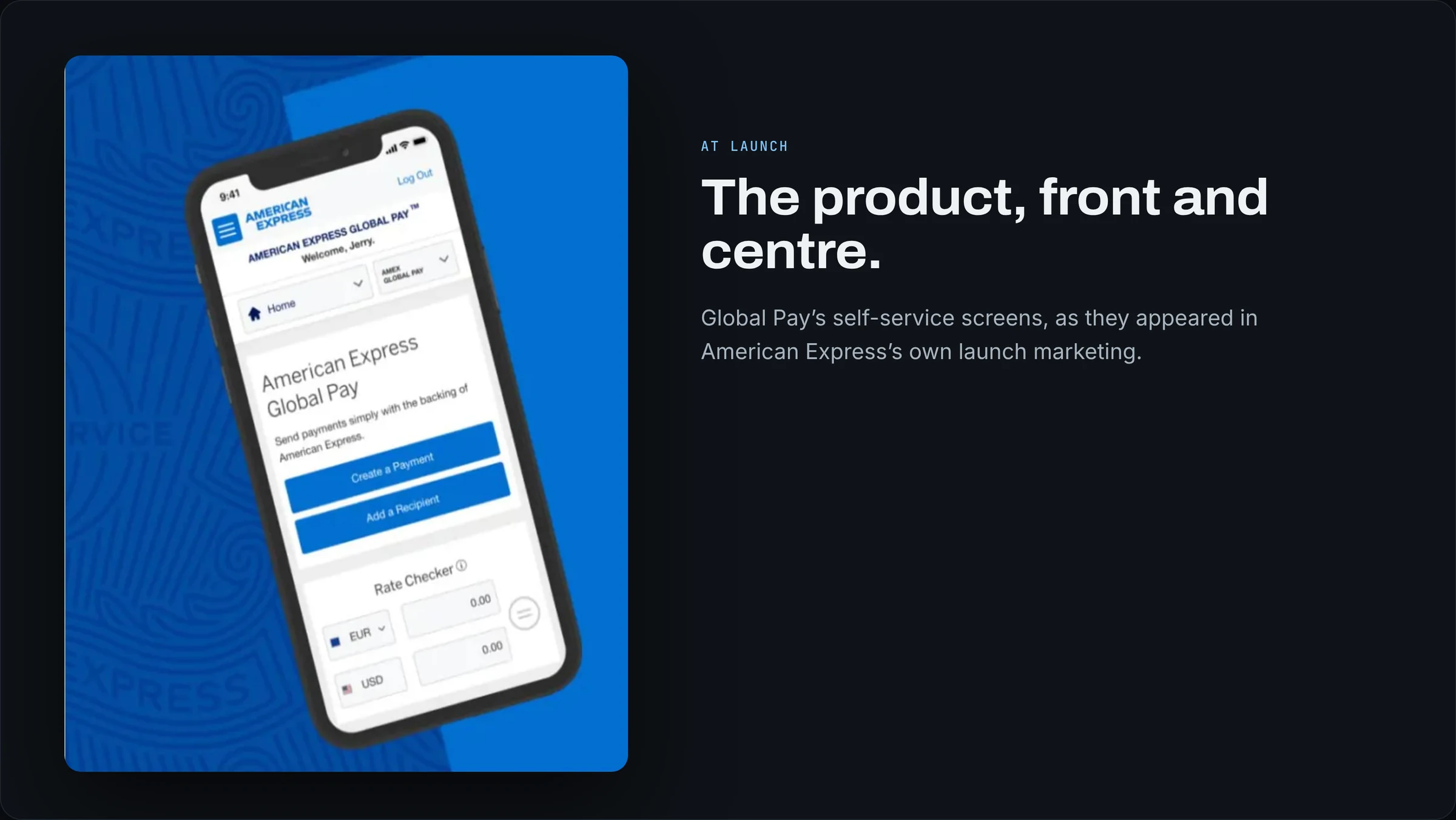
At launch
Global Pay’s screens went on to feature in American Express’s own launch marketing.